





Stay in the loop
We only use your address to send the newsletter. Unsubscribe whenever you like. See our privacy policy.
Subscribed! See you in your inbox.
Something went wrong. Try again, or call us on +32 2 888 33 00.
Your operation runs on calls that move deliveries, crews and deadlines. Telsmart writes each change down the second the call ends and files it where the planning lives.

When the call ends
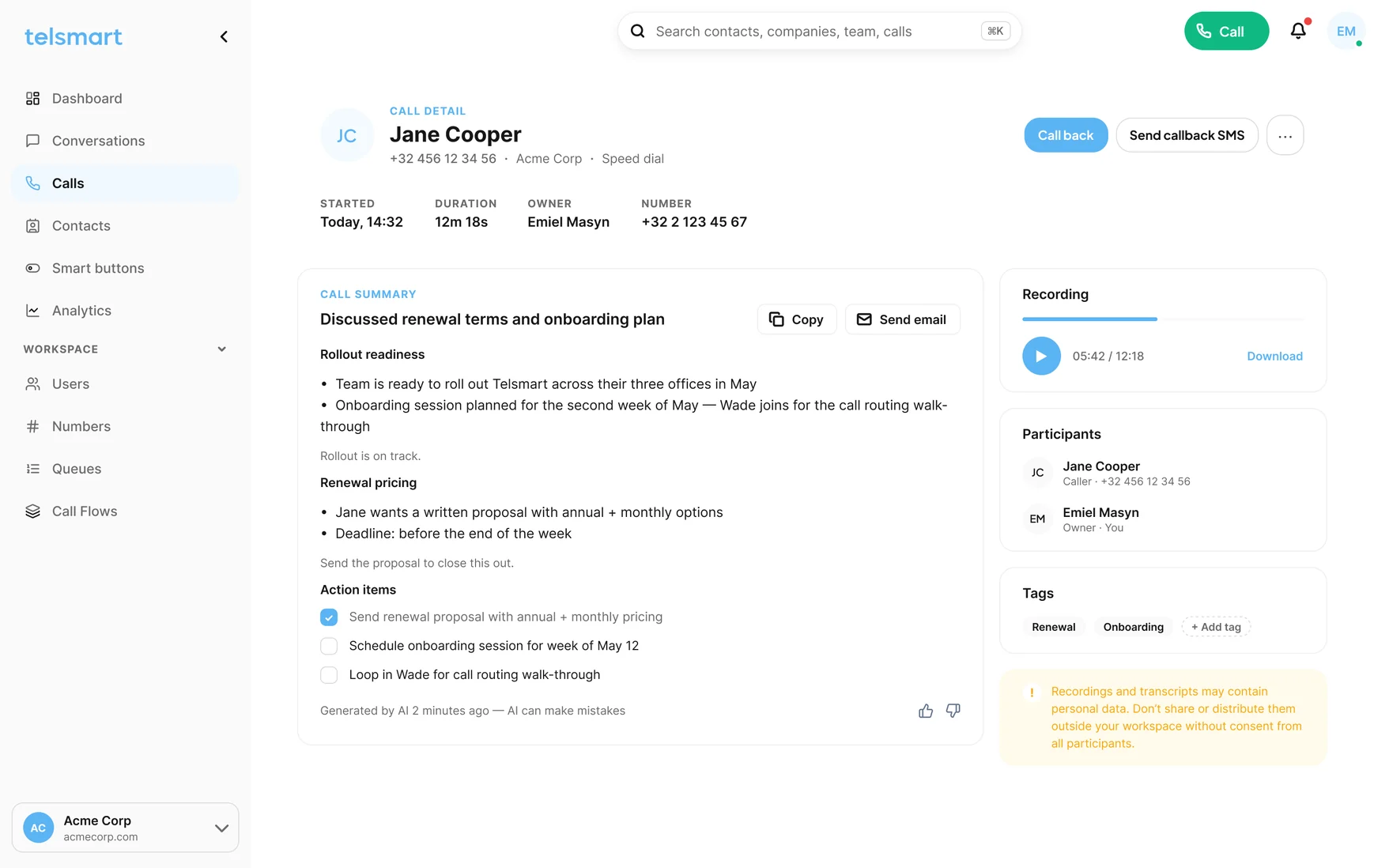
Not a log line that says a call happened. What moved, to when, agreed by whom, next to the order.
Every supplier, partner and customer call written out: what moved, to when, agreed by whom. Filed next to the order, visible to the whole desk, not to one planner’s memory.
See AI call summaries →Opening hours, ring order, what happens when nobody answers, what happens after hours. Your call flow builds itself while you answer, with a test call before it goes live.
“Open”, “Closed”, “Meeting”, or your own modes. A button in the profile menu reroutes every line at once. Flip it back when you are done.
A fresh local number in under a minute, routed the way you want. Or bring the number you already have: verify it today, port it in 5 to 10 business days.
The call history is searchable by name, number and what was said in the summary. The dispute is settled in one search, not in a meeting.
Calls and summaries land next to the order and on the contact record. HubSpot today, more connectors keep landing; Odoo, Teamleader and Microsoft Dynamics on the Custom plan.
HubSpot

Microsoft TeamsAnd many more
Your AI assistant · on your call summaries
Your AI assistant · on your call summariesBeyond the summary
Every summary is text your AI assistant can read. Connect the one your team already uses and ask which suppliers moved a date, which customers asked for a split delivery, which agreements are still unconfirmed. The answer comes from the calls, not from the recap meeting.
OpenAI
Claude
Gemini
Copilot
PerplexityGrokWhat the caller says, what you read
Not a transcript to scroll through. What moved, to when and who agreed it, as the whole desk will read it.
No installer, no quote, no IT ticket.
HubSpot