






Stay in the loop
We only use your address to send the newsletter. Unsubscribe whenever you like. See our privacy policy.
Subscribed! See you in your inbox.
Something went wrong. Try again, or call us on +32 2 888 33 00.
The customer calls the number they have. Telsmart makes it the company’s number: routed to the on-call tech by hour and date, summarized on the job, still yours when the technician leaves. And it holds the call in the plant room.

When the call ends
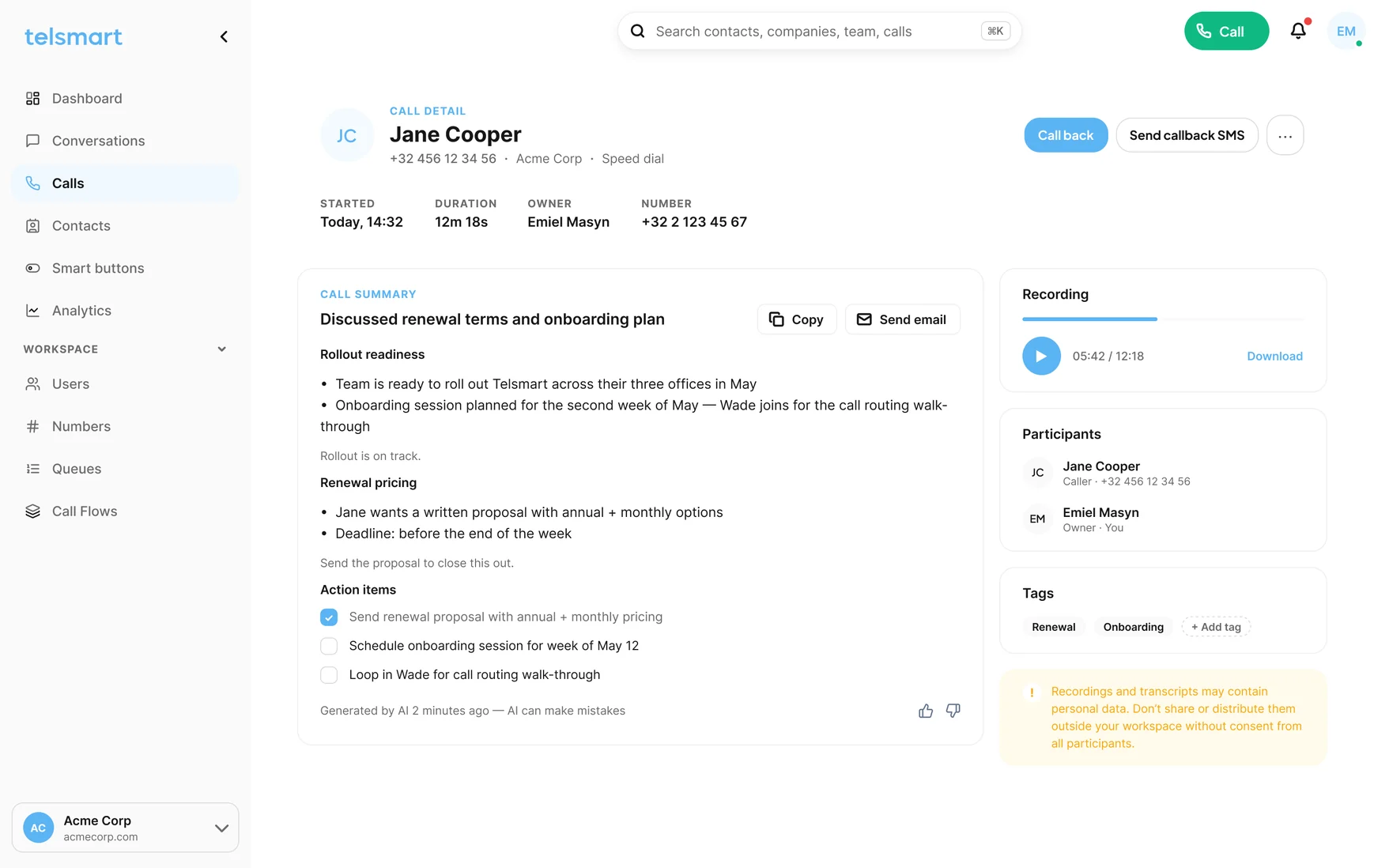
On-call, approvals and reroutes on one number, and every call on the job when it ends.
Calls run over WiFi and the mobile network. If your internet drops, the call continues over the mobile network. Plant rooms, basements and rooftops included.
See how it works →Every client approval for extra work or parts, summarized and filed on the job with time and name. When the invoice lands, the record is already there. When the next tech arrives, so is the history.
Opening hours, date rules, ring order, queue. Six questions and the flow builds itself, with a test call before the weekend.
When nobody can pick up, the caller gets an SMS with a one-tap Call link from your business number. They reach the desk, not a private voicemail.
Recordings sit next to the summary in the call history, searchable. Handy for a question, decisive when the invoice is argued.
Calls, recordings and AI summaries land on the right customer. HubSpot today; Teamleader, Odoo and Microsoft Dynamics on the Custom plan, and more connectors keep landing.
HubSpot

Microsoft TeamsAnd many moreBeyond the summary
Every summary is text your AI assistant can read. Connect the one your desk already uses and ask which customers asked about a maintenance contract, which approvals are still not on a werkbon, which sites call back most. The answer comes from the calls, not from the planner’s memory.
OpenAI
Claude
Gemini
Copilot
PerplexityGrok
Your AI assistant · on your call summaries
Your AI assistant · on your call summariesWhat the caller says, what you read
The part, the yes and the name, written the way the office reads it back when the invoice is questioned.
No installer, no quote, no IT ticket.
HubSpot