



Stay in the loop
We only use your address to send the newsletter. Unsubscribe whenever you like. See our privacy policy.
Subscribed! See you in your inbox.
Something went wrong. Try again, or call us on +32 2 888 33 00.
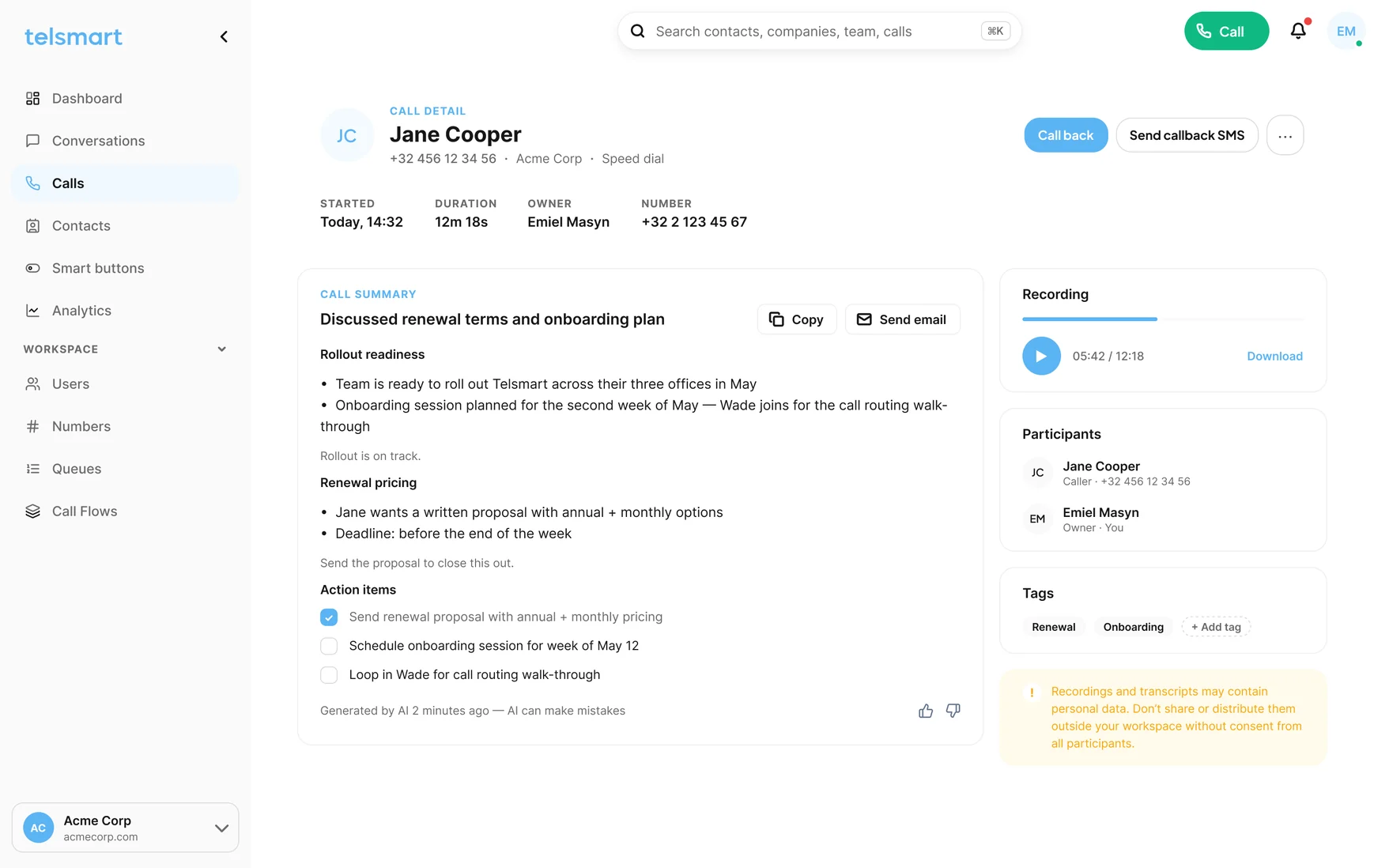
Your reps were hired to close, not to type notes. Telsmart records the call, writes the summary and files it on the right deal before your rep has parked.

When the call ends
Not a log line that says a call happened. What was agreed, by whom, and what happens next.
Decisions, objections, pricing and next steps, written out per call and filed in HubSpot, Salesforce, Pipedrive or Teamleader. When a rep leaves, the calls stay.
See AI call summaries →Click the number in HubSpot. The call runs on your business number, the summary comes back to the same card.
Calls run over WiFi and the mobile network. If the WiFi drops, the network carries the call. No redial.
A Call link in your signature or proposal. The prospect clicks, you pick up, they get the summary afterwards.
Verify your mobile as caller ID and make your first calls today. Port it later, or never.
Calls, recordings, summaries and next steps sync straight into your CRM. HubSpot today, more connectors keep landing.
HubSpot
Salesforce


Microsoft Teams
Zendesk
Your AI assistant · on your call summaries
Your AI assistant · on your call summariesBeyond the summary
Every summary is text your AI assistant can read. Connect the one your team already uses and ask which rep never confirms a next step, which deals stalled on price, or let a new hire read the best closer’s last twenty calls. Answers from what was said on the phone, not from what someone remembered to type.
OpenAI
Claude
Gemini
Copilot
PerplexityGrokWhat the caller says, what you read
Not a transcript to scroll through. The decisions, the conditions and the next step, as your CRM will show them to the whole team.
No installer, no quote, no IT ticket.
HubSpot